 INR
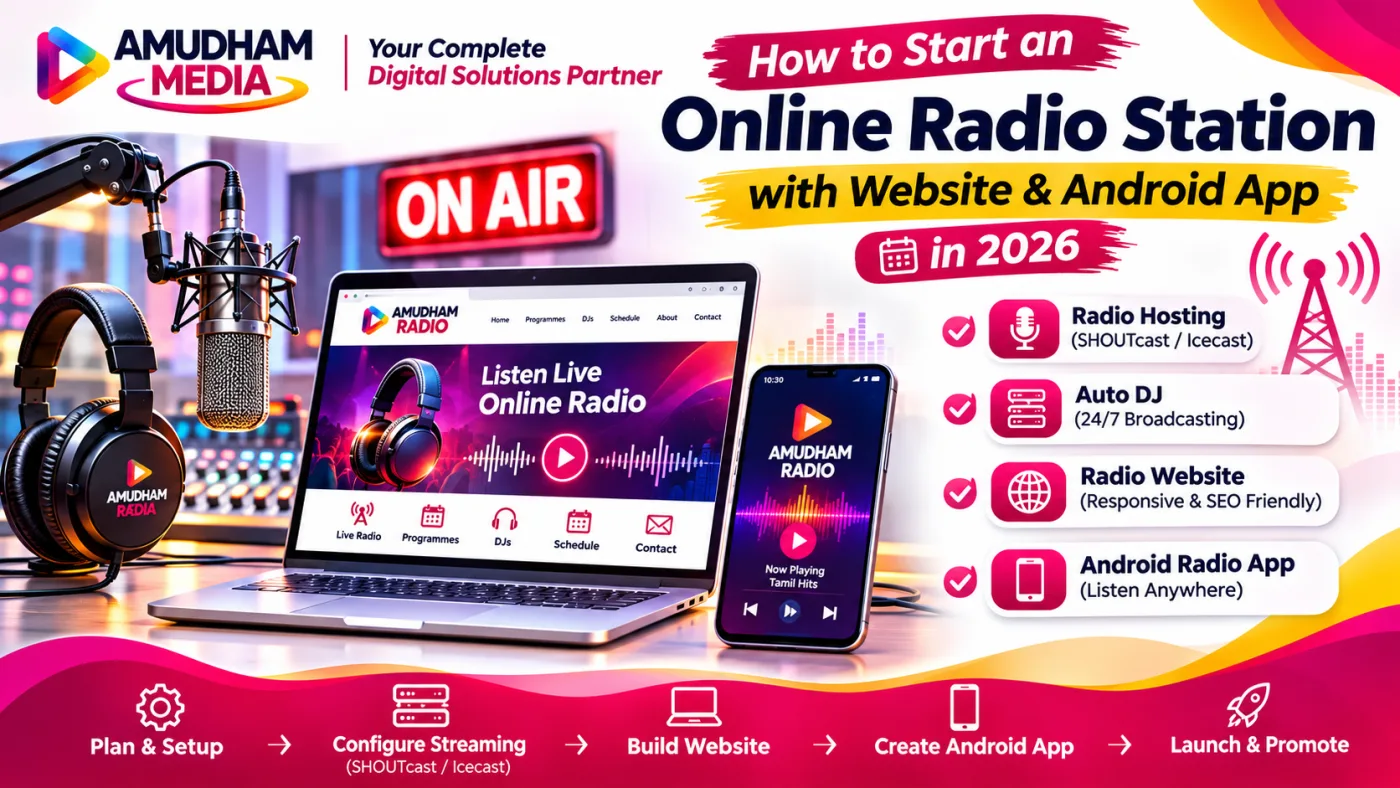
Have you ever dreamed of launching your own online radio station? Whether you want to create a Tamil music radio, devotional radio, community radio or international broadcasting platform, you can now build a complete online radio station with modern streaming technology.
With professional radio hosting, Auto DJ automation, a responsive website and an Android application, your radio station can reach listeners worldwide.
In this guide, AMUDHAM MEDIA explains how to start your own internet radio station step by step.
🌟 1. Choose Your Radio Station Concept
Before starting your online radio station, decide what kind of content you want to broadcast.
Popular online radio formats include:
🎵 Tamil Music Radio
🎶 24/7 Entertainment Radio
🙏 Devotional Radio
📰 News & Talk Radio
🌍 International Music Radio
🎙️ Community Radio
🎧 Live DJ Broadcasting
🎼 Cultural & Regional Radio
Choose a memorable station name, create a professional logo and identify your target audience.
🖥️ 2. Choose Professional Radio Hosting
Radio hosting is the foundation of your online broadcasting platform.
A radio streaming server receives audio from your broadcasting software and distributes it to listeners around the world.
Popular streaming technologies include:
SHOUTcast
Icecast
AzuraCast
When choosing a radio hosting provider, consider:
Reliable server uptime
Listener capacity
Audio bitrate options
Sufficient bandwidth
Auto DJ support
Control panel access
Secure HTTPS streaming
Technical support
Choose a hosting plan according to your expected audience and broadcasting requirements.
🎛️ 3. Configure SHOUTcast or Icecast Streaming
SHOUTcast and Icecast are widely used technologies for internet radio broadcasting.
To configure your station, you generally need:
Streaming server hostname
Server port
Source password
Stream mount point, where applicable
Audio bitrate
Broadcasting software
Once configured, your audio encoder sends the broadcast to the streaming server, which delivers it to connected listeners.
🎵 4. Set Up Auto DJ for 24/7 Broadcasting
Auto DJ allows your online radio station to continue playing music even when no presenter is broadcasting live.
Important Auto DJ features include:
Upload MP3 audio files
Create music playlists
Schedule programmes
Add radio jingles
Schedule advertisements
Manage music categories
Create broadcasting schedules
Automatically switch between live DJ and Auto DJ
This is especially useful for stations that want continuous broadcasting throughout the day and night.
🎙️ 5. Set Up Your Live Radio Studio
You do not need an expensive professional studio to begin.
A basic broadcasting setup can include:
🎤 Microphone
🎧 Studio headphones
🎚️ Audio mixer
💻 Desktop or laptop
🌐 Stable internet connection
🔊 Audio broadcasting software
Popular broadcasting software includes BUTT, Mixxx and RadioBOSS.
Test your microphone, audio levels and internet connection before starting your first live programme.
🌐 6. Create a Professional Radio Website
A dedicated website gives your radio station a professional online identity.
Your website becomes the central destination where listeners can access live streaming, programme information and station updates.
Important website features include:
Responsive homepage
Live radio player
Now Playing information
Station logo and branding
Programme schedule
DJ and presenter profiles
About Us page
Contact page
Social media integration
WhatsApp contact
SEO optimization
Mobile-friendly design
You can also integrate your SHOUTcast or Icecast stream into an HTML5 audio player so visitors can listen directly from your website.
📱 7. Develop Your Own Android Radio App
A dedicated Android application makes your radio station accessible with just one tap.
Listeners can install your branded application and enjoy your station wherever they go.
Recommended Android app features include:
Custom radio station logo
Live radio streaming
Background audio playback
Play and pause controls
Now Playing information
Social media sharing
WhatsApp contact
Push notifications
Programme information
Privacy policy
App support and contact details
A well-designed mobile application helps your radio station build a stronger relationship with its audience.
🔗 8. Connect Your Radio Server, Website and App
The most important step is connecting all three platforms.
Your broadcasting system should work together as follows:
🎙️ Your DJ or Auto DJ generates the audio.
📡 SHOUTcast or Icecast receives the audio stream.
🌐 Your website connects to the live stream.
📱 Your Android app connects to the same stream.
🌍 Listeners can access your station from anywhere with an internet connection.
This creates one broadcasting system with multiple listening platforms.
📢 9. Promote Your Online Radio Station
Once your station is ready, focus on reaching more listeners.
Effective promotional methods include:
Facebook and Instagram marketing
YouTube promotional videos
WhatsApp sharing
Google search optimization
Radio programme announcements
Promotional audio jingles
Social media campaigns
Community partnerships
Regular programmes and engaging content help build a loyal listening audience.
⚖️ 10. Understand Music Copyright and Licensing
Before broadcasting commercial music, make sure you have the necessary permissions and licences for your content.
Music licensing requirements vary by country and the type of broadcasting. Check the applicable copyright and royalty requirements before launching your station.
Remember that owning an audio file or having a personal music subscription does not automatically grant broadcasting rights.
🚀 11. Launch Your Online Radio Station
Before your official launch, complete these checks:
Test your streaming server.
Check Auto DJ playlists.
Test live DJ broadcasting.
Verify website audio playback.
Test Android app streaming.
Check background audio playback.
Verify mobile compatibility.
Test HTTPS streaming.
Check listener capacity.
Confirm music licensing arrangements.
After testing everything, announce your official launch and invite listeners to tune in.
⭐ Conclusion
Starting an online radio station in 2026 is an exciting opportunity for individuals, businesses, media organizations and communities.
With reliable radio hosting, SHOUTcast or Icecast streaming, Auto DJ automation, a professional website and a dedicated Android application, you can establish a complete internet radio broadcasting platform.
Start with your idea, choose the right technology and build a radio experience that connects people around the world.
❤️ Need Help Starting Your Own Online Radio Station?
AMUDHAM MEDIA provides professional digital media and broadcasting solutions to help you launch your own online radio station.
Our services include:
📡 SHOUTcast & Icecast Radio Hosting
🎛️ Auto DJ Configuration
🌐 Radio Website Development
📱 Android Radio App Development
🎨 Radio Logo & Branding
🔊 Streaming Player Integration
🖥️ Web Hosting & Server Solutions
🛠️ Technical Support
Whether you are starting your first internet radio station or upgrading an existing broadcasting platform, AMUDHAM MEDIA can help you build your digital radio presence.
AMUDHAM MEDIA – All Digital Solutions in One Place.